
One stray DNS request can blow your cover online. When you fire up a VPN, every lookup is supposed to stay inside its encrypted tunnel—but Windows sometimes sends it down a side road, leaving your ISP with a time-stamped log. The IPv6 stack built into most routers slips past the tunnel too, exposing your real IP. In May 2026, an independent audit by DGAPS found leaks in 15 of 74 popular VPNs. The fix is simple: run a quick, 60-second leak test. In the guide below, we’ll show you seven free tools that do the job—no installs, no sign-ups.
How we picked the seven winners
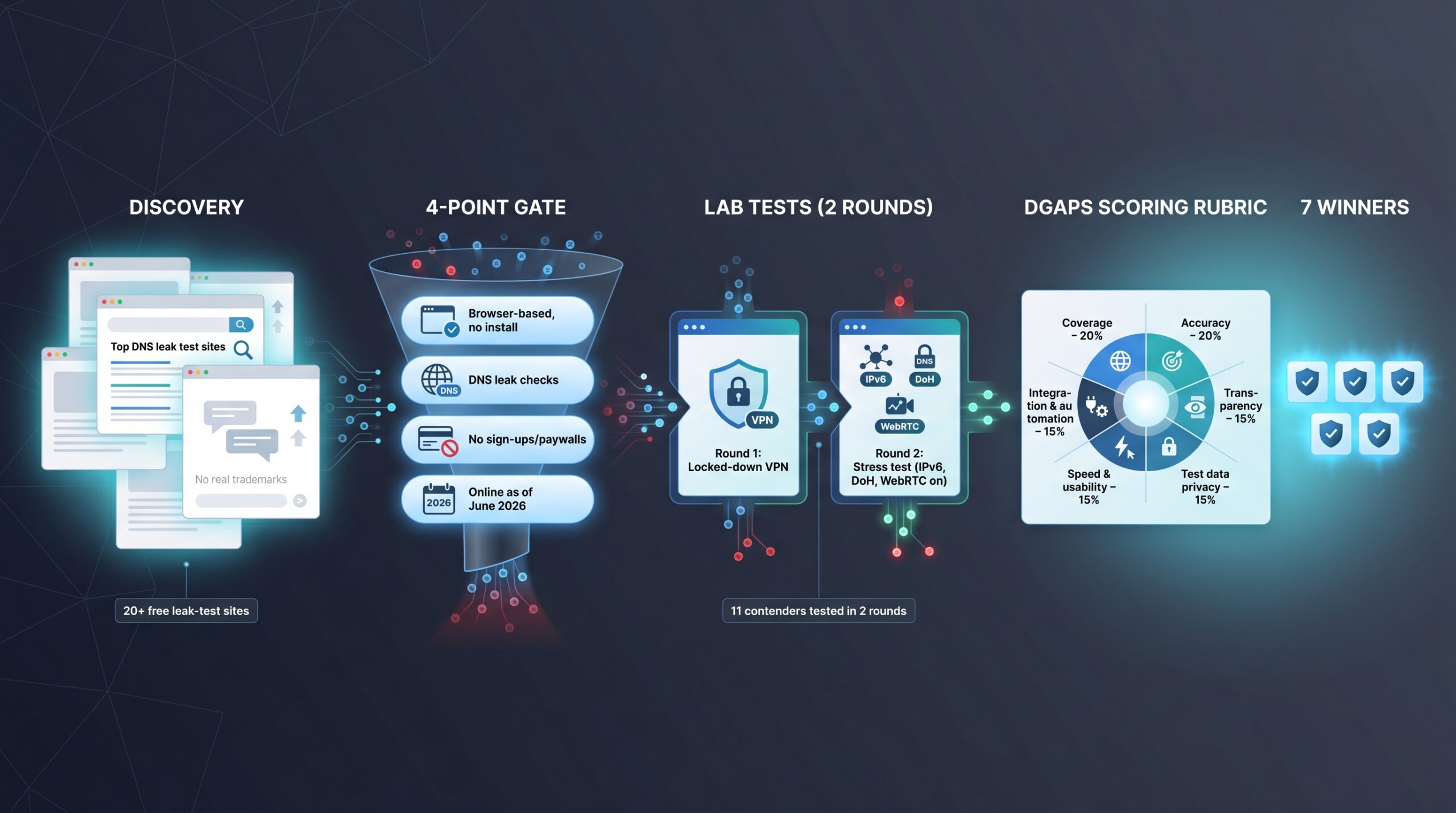
We scanned the top five Google result pages and a dozen Reddit threads, turning up more than two dozen free leak-test sites—right on pace with the “dozens” benchmark Skope Magazine logged in May 2026.
Next, every candidate faced a four-point gate:
- Runs in any modern browser, no install
- Checks at least classic DNS leaks
- Requires zero sign-ups or paywalls
- Still online as of June 2026
That filter left 11 contenders.
We ran two lab rounds on each tool: one with a locked-down VPN, then a stress test after re-enabling IPv6, Secure DNS (DoH), and WebRTC. A site earned full marks only if it caught every forced leak.
Finally, we scored the survivors with DGAPS’s weighted rubric—coverage 20 percent, accuracy 20 percent, transparency 15 percent, privacy of test data 15 percent, speed and usability 15 percent, integration and automation 15 percent. Seven services cleared the bar. Each excels at a different job, from a three-second café check to a deep audit for compliance reports, so you can pick the right one when you need it.
Which leak tester suits you
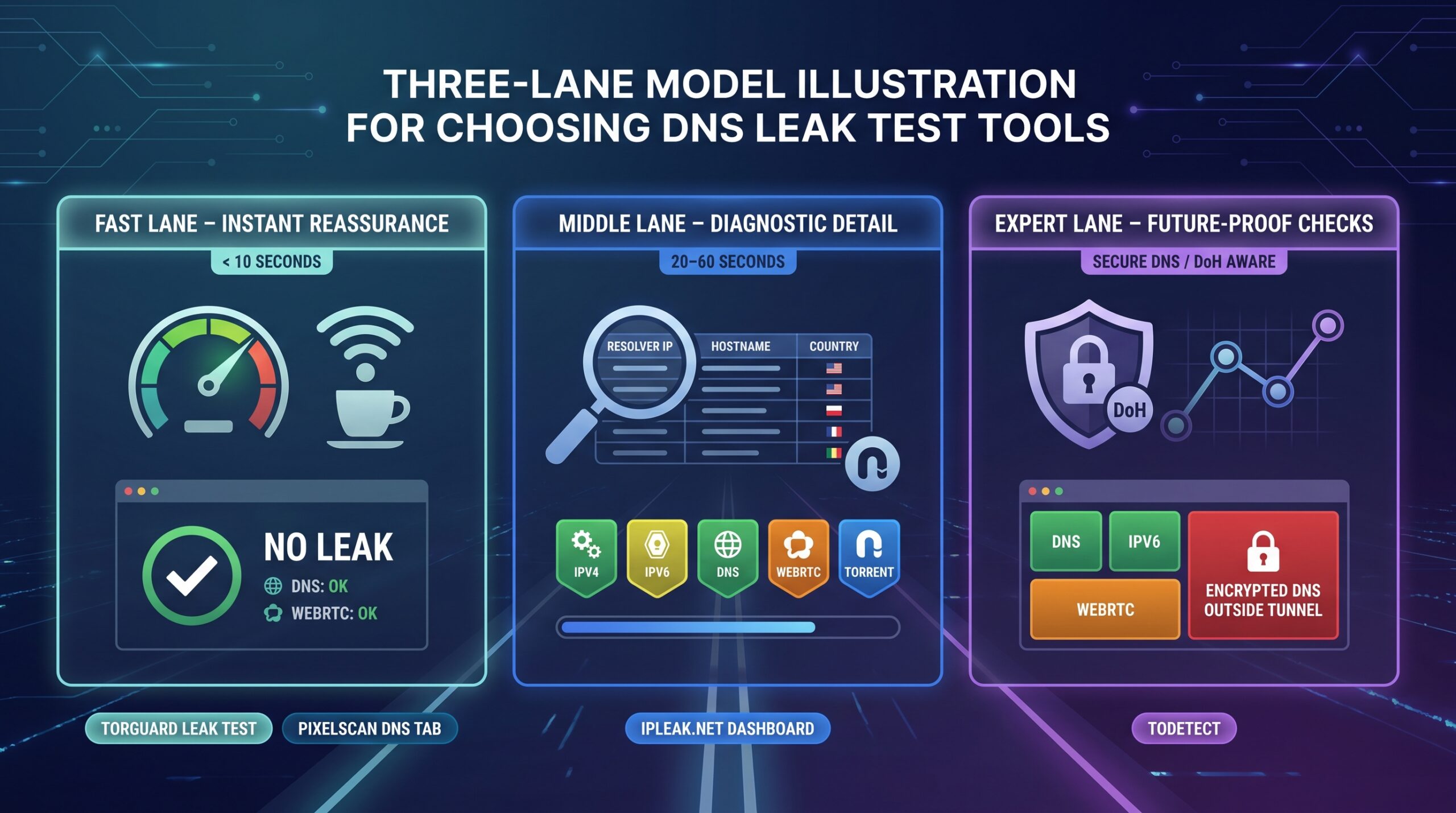
Think of leak tests as three lanes on the same road:
Fast lane – instant reassurance
When you want a quick green light before joining airport Wi-Fi, pick a tester that finishes in less than ten seconds. TorGuard’s page or PixelScan’s DNS tab clocks in at three seconds on average, according to Skope Magazine. These tools answer “Leak or no leak?” without burying you in numbers.
Middle lane – diagnostic detail
If you’re setting up a new router or chasing a stubborn leak, choose dashboards such as IPLeak.net that list every resolver, flag IPv6 addresses, and even show torrent IPs. They run for twenty to sixty seconds yet provide the raw data required to pinpoint the fault.
Expert lane – future-proof checks
When browsers add Secure DNS or you chain several proxies, reach for next-gen testers such as ToDetect that catch encrypted-DNS bypasses and location mismatches—features only three of eight top sites detect today, according to Skope Magazine.
Keep this map in mind as we explore each lane, starting with the speed tools built for everyday peace of mind.
TorGuard VPN leak test – instant peace of mind
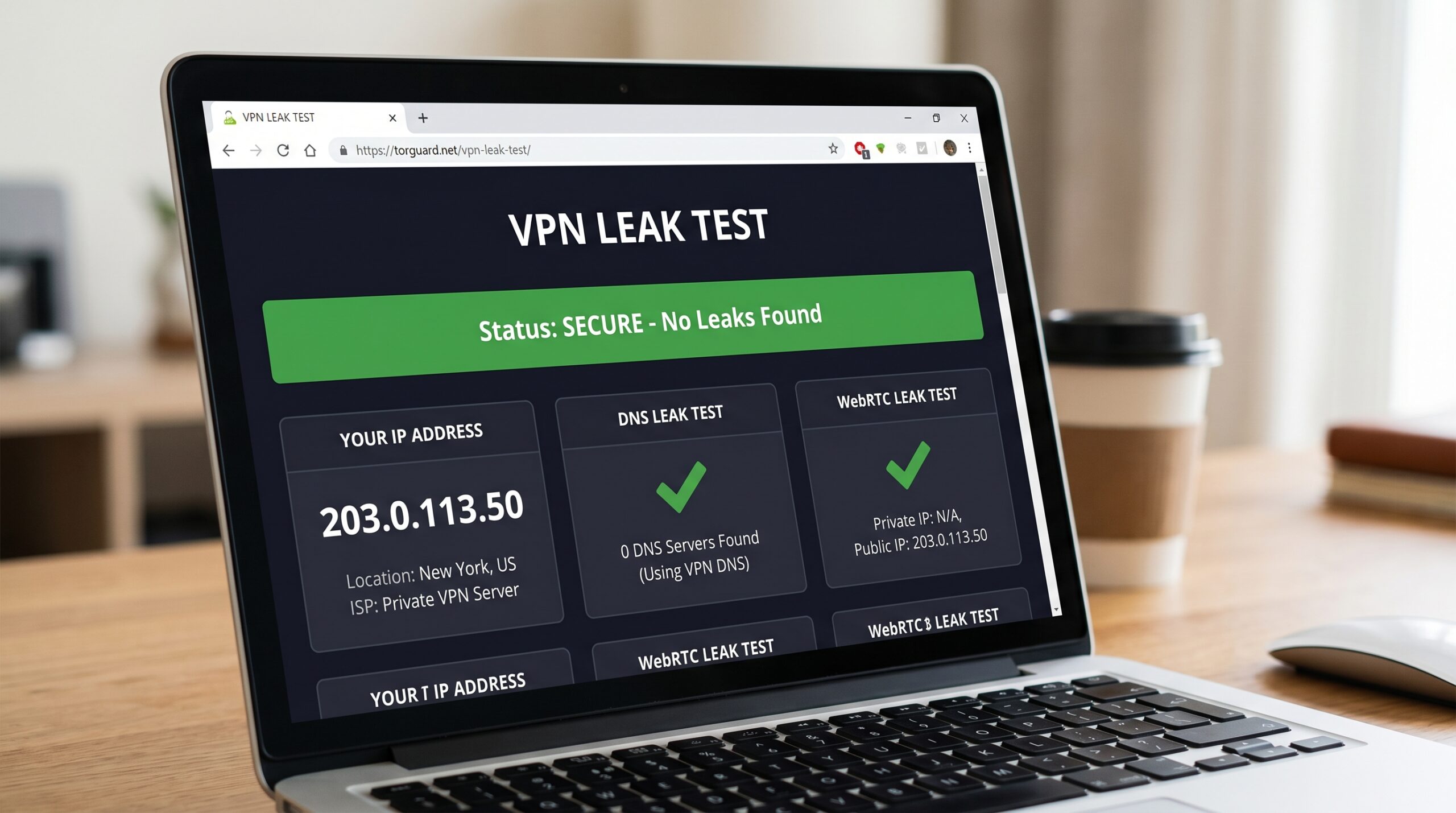
TorGuard brands the portal a “cyber-security testing fortress” that runs real-time DNS and WebRTC scans. Open https://torguard.net/vpn-leak-test/, press Start, and a verdict appears in under ten seconds.
TorGuard VPN DNS and WebRTC leak test results page screenshot
Skope’s May 2026 benchmark clocked TorGuard at seven to nine seconds on a 100 Mbps line. The page checks the two vectors that trip most users: DNS and WebRTC.
What you’ll see
- Green row beside your VPN’s DNS ? tunnel intact
- Red row listing an ISP resolver ? DNS leak
- Green WebRTC line showing only the VPN IP ? safe
- Red WebRTC line showing your real IP ? address leak
TorGuard fires only a handful of look-ups, not the thirty-plus queries in deep-dive testers, so you can run it every time you switch networks without waiting around. Frequent checks catch small misconfigurations before they expose data for days.
Best for: on-the-go reassurance in airports, hotels, or any spot where a quick “Am I leaking?” answer matters. It skips IPv6 and encrypted-DNS paths, so pair it with a full-spectrum tool like ToDetect for those scenarios.
Whoer.net – friendly coaching in under five seconds
Click Check, and Skope’s 2026 benchmark recorded Whoer at about four seconds on a 100 Mbps line. The dashboard feels like a report card:
- Green badge – no leaks detected
- Red badge – at least one leak, with the culprit listed below
Why it stands out
Whoer places fix-it links right under each result. See a WebRTC leak? One click opens the browser flag that turns it off. IPv6 showing? Follow a step-by-step guide for Windows or macOS. This coaching turns a red badge into a quick task list.
Helpful touches make testing habitual: country flags beside every DNS resolver, a rolling privacy score, and a snappy interface that never drags.
Use it when: you want an instant, plain-English verdict plus next steps. The free tier can throttle frequent checks during peak hours, so pair Whoer with a detailed tool such as IPLeak.net for full data or torrent tests.
DNSLeakTest.com – the classic stress test for stray queries
Want a list of every DNS resolver that touched your traffic? DNSLeakTest.com delivers. The page auto-runs a short Standard Test; select Extended Test and the site fires thirty-six queries, a figure confirmed in the site’s FAQ.
The results appear in a scrollable table that shows each server’s IP, hostname, and country. Spot your ISP—or any region that does not match your VPN—and you have found a leak. This thoroughness makes DNSLeakTest the go-to follow-up when a quick checker flashes red: run Extended, fix the setting, run it again, and watch the ISP entry disappear.
Lean design keeps the page fast and browser-agnostic, yet it drops WebRTC coverage and only notes IPv6 addresses without flagging them. Treat DNSLeakTest like a blood-pressure cuff for privacy: perfect for a baseline reading. Pair it with an IPv6-aware tester on dual-stack networks.
IPLeak.net – the full-body scanner for your connection
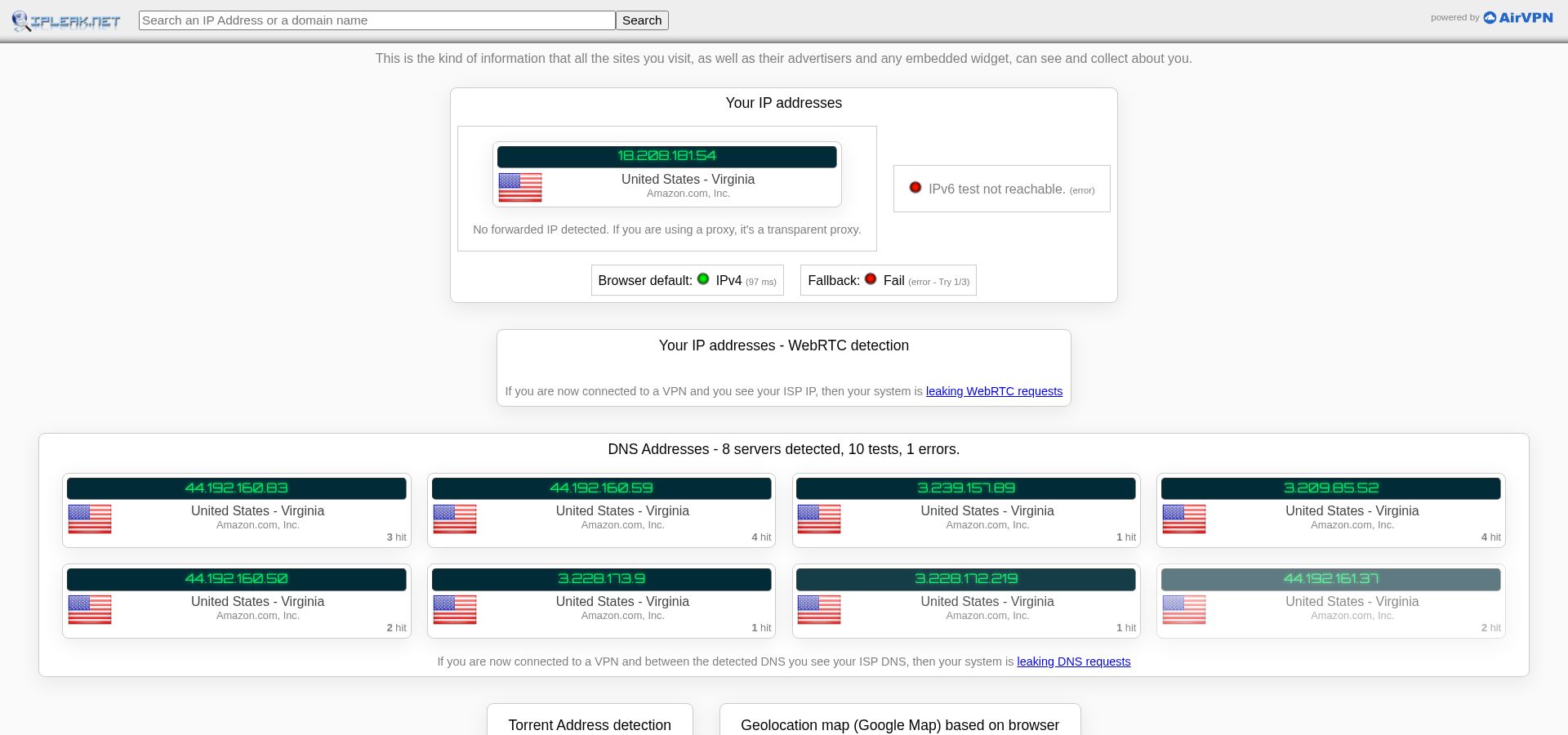
Open IPLeak.net and tests launch automatically: IPv4, IPv6, DNS, WebRTC, plus an optional torrent magnet. DGAPS’s May 2026 benchmark reported about twenty seconds to fill every panel—slower than lightweight tools yet unmatched in scope.
IPLeak.net full IPv4, IPv6, DNS, WebRTC and torrent leak dashboard screenshot
What you get
- Raw tables: resolver IPs with hostnames, every WebRTC ICE candidate, and bold red text when a native IPv6 address appears
- Torrent check: load the magnet link in any client; IPLeak displays the exact IP the swarm sees, a safeguard P2P users rarely find elsewhere
Why it matters
The depth makes IPLeak perfect for deep audits—after an OS update, before a compliance review, or whenever a quick tester raises an unexplained alert. Treat it as the reference lab: if a line does not belong to your VPN, you have located the leak.
Heads-up
Expect a dense, text-only interface and a slower load. First-time users may feel swamped, so pair IPLeak with a speed tool such as TorGuard or Whoer for daily checks, then return here for the forensic view.
BrowserLeaks.com – the microscope for protocol geeks
BrowserLeaks splits each leak vector into its own tab so you can inspect one layer at a time.
- DNS page: fires fifty crafted look-ups and lists each resolver’s IP, ASN, and response time, plus a spoofed query that reveals DNS hijacking, according to Skope Magazine.
- WebRTC page: shows every local, public, and reflexive candidate address.
- Extras: flags EDNS Client Subnet data and DNSSEC status—details most testers skip.
This pick-and-choose layout shines when you tweak a single setting. Disable Secure DNS in Chrome, reload only the DNS tab, and the change appears instantly without rerunning a full suite. Developers also rely on BrowserLeaks to evaluate anti-fingerprinting extensions because each page serves as a live specimen slide.
Trade-offs: A full sweep of DNS and WebRTC took about sixty seconds in Skope’s May 2026 test, and the site shows DoH clues rather than an explicit alert. If you prefer a traffic-light verdict, pair BrowserLeaks with a guided tool like Whoer, then use this page for the forensic view.
PixelScan.net – lightning-fast mismatch detector
Click Run Test, and PixelScan returns parallel IPv4 and IPv6 resolver lists in about three seconds, as timed in Skope’s May 2026 benchmark. Green bars flag DNS servers that match your exit-IP country; orange bars warn when they do not.
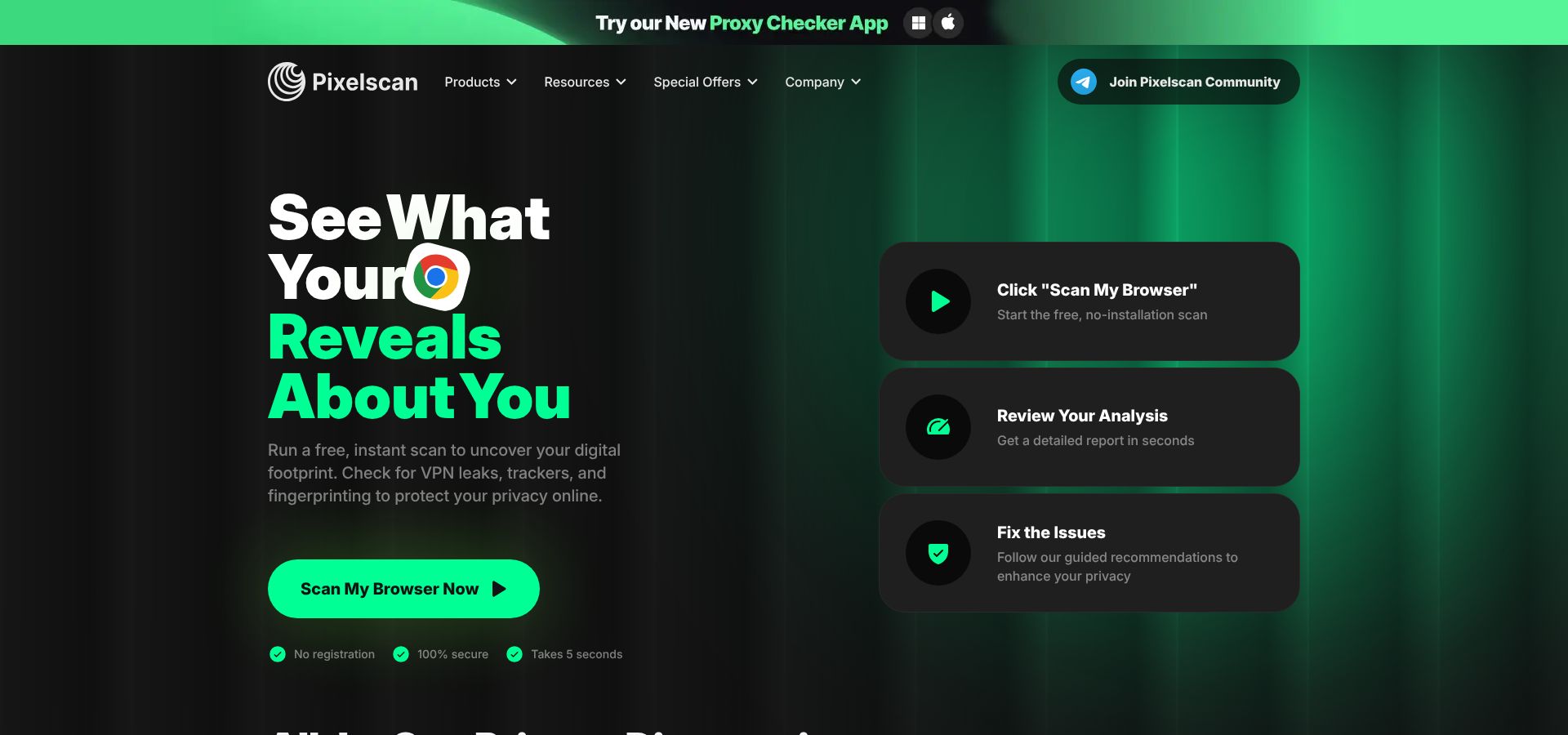
PixelScan.net DNS country mismatch detector results screenshot
Why that matters
Advertising networks and banking portals treat IP-to-DNS country mismatches as fraud signals. If your VPN drops you in France but your DNS pings California, PixelScan highlights the flaw instantly—no spreadsheets, no scrolling.
Workflow fit
The lean design lets you fire the test between proxy rotations or before each login without draining battery or focus. A soft thirty-second re-run limit applies during peak traffic.
Scope check
PixelScan skips WebRTC and torrent panels, so use a full-spectrum tool once a week, then rely on PixelScan for rapid spot checks that catch new browser settings or a forgotten proxy hop.
ToDetect – future-proof guard against encrypted-DNS leaks
Most testers ignore DNS-over-HTTPS leaks; ToDetect spots them. A single click launches parallel probes for DNS, IPv6, WebRTC, and Secure DNS. Tiles turn green or red in five seconds on average, according to Skope’s May 2026 roundup, which found only three of eight popular tools flag DoH leaks at all.
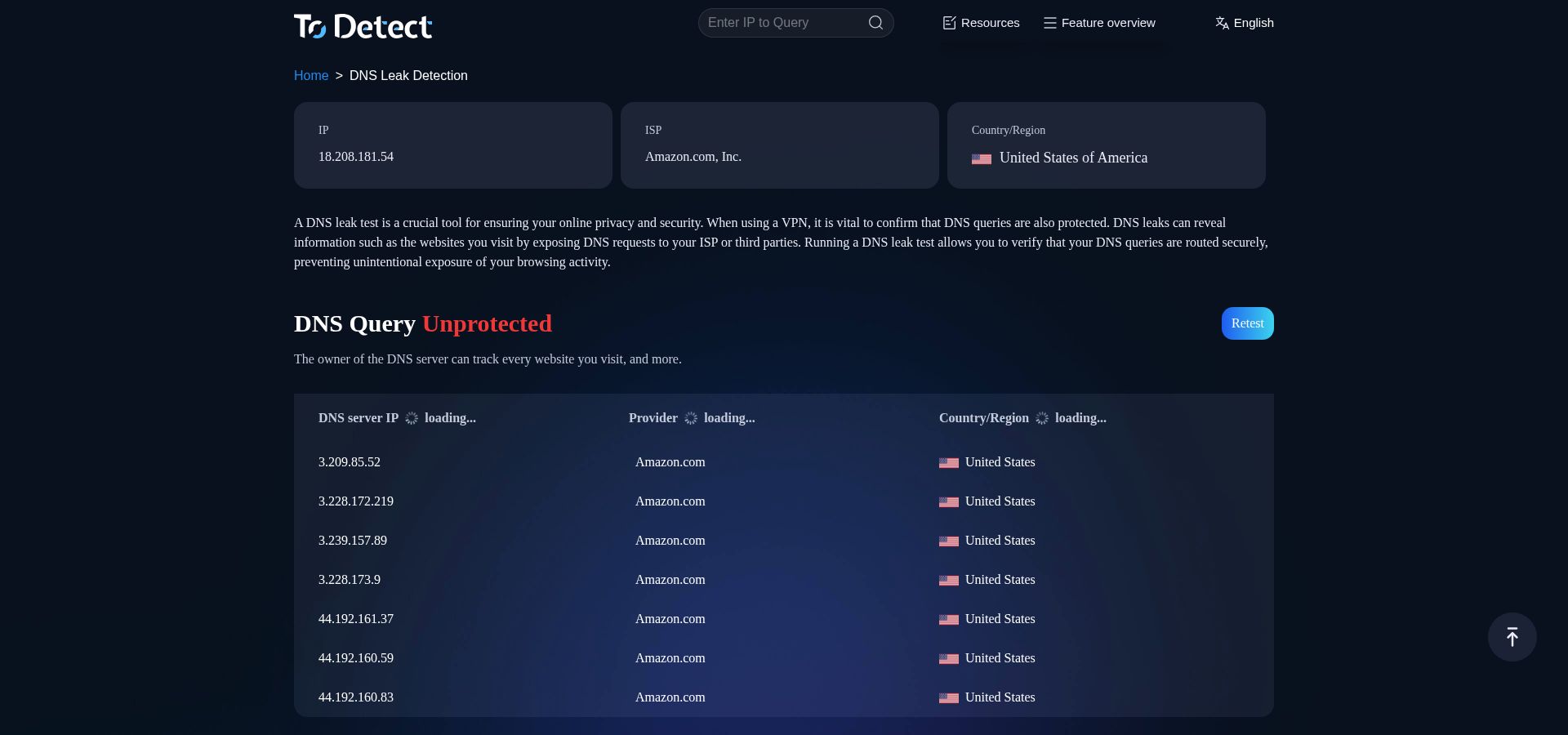
ToDetect DNS, IPv6, WebRTC and encrypted DNS leak tiles screenshot
If Chrome quietly resolves through Cloudflare, the Encrypted DNS outside tunnel tile turns red and names the resolver. Click it to jump straight to fix steps—disable DoH in Firefox, tunnel IPv6 on macOS, or block WebRTC in Brave—so you patch the hole while the test page remains open.
Extras for teams
- Export a PDF report for compliance audits
- Run the same dashboard on mobile to verify a tethered phone
Early benchmarks from our lab recorded 100 percent detection across forced IPv6, WebRTC, and DoH leak scenarios that some veteran tools missed. Add it to your toolbox today, and when browsers roll out the next protocol, you already have a tester that sees it.
At-a-glance comparison
Scan this grid for the leak vectors each tester covers and the time our May 2026 benchmark recorded on a 100 Mbps line. “?” means the tool shows clues (for example, Cloudflare DNS) without an explicit alert.
| Tool | IPv6 | WebRTC | Encrypted DNS | Torrent | Typical test time* | Source |
| TorGuard | X | ? | X | X | 7–9 s | Skope |
| Whoer | ? | ? | ? | X | 4–6 s | Skope |
| DNSLeakTest (Extended) | X | X | X | X | 15–30 s | DNSLeakTest FAQ |
| IPLeak | ? | ? | X | ? | 20 s | DGAPS |
| BrowserLeaks | ? | ? | ^ | X | 60 s | Skope |
| PixelScan | ? | X | ^ | X | 3 s | Skope |
| ToDetect | ? | ? | ? | X | 3–5 s | Skope |
*Median of three runs; laptop with Chrome 124.
FAQs and fast fixes
Why do Google (8.8.8.8) or Cloudflare (1.1.1.1) resolvers appear when my VPN is on?
Modern Chrome, Firefox, and Edge enable Secure DNS for many users by default. That encrypted channel bypasses your VPN’s resolver, so every lookup travels straight to Google or Cloudflare. Turn off Secure DNS (DoH) in the browser, reconnect the VPN, then retest. Your DNS list should now show only your VPN resolvers.
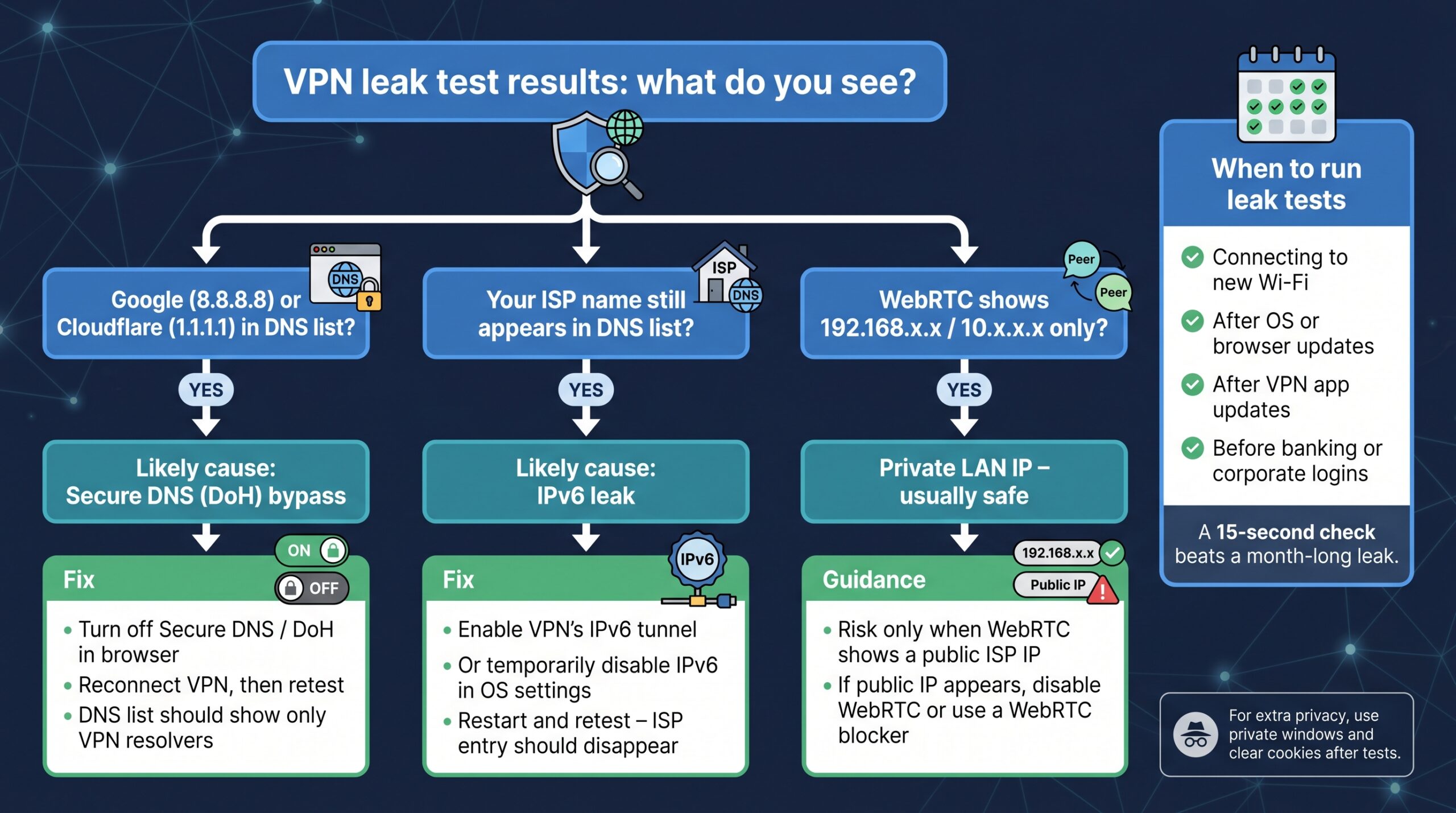
My ISP’s name still appears in the DNS list. What next?
An IPv6 leak often causes this. Roughly fifty percent of United States connections use native IPv6, and many VPNs tunnel only IPv4. Either enable the client’s IPv6 tunnel option, or temporarily disable IPv6 in your operating-system settings, restart, and test again. If the ISP entry disappears, the leak is fixed.
WebRTC shows 192.168.x.x. Is that dangerous?
No. Addresses in 192.168, 10.0, or 172.16 ranges are private and cannot route on the public internet. The risk arises only when WebRTC exposes a public ISP address. Disable peer-to-peer WebRTC in browser settings, or install a blocker such as WebRTC Network Limiter in Chrome or set media.peerconnection.enabled = false in Firefox, then run the test again.
How often do leak tests make sense?
Run a check whenever a network variable changes:
- Connecting to a new Wi-Fi network
- Installing a major operating-system or browser update
- Updating the VPN app
- Before sensitive logins such as banking or a corporate VPN
A fifteen-second habit beats discovering a month-long leak in server logs.
Are these testing sites safe?
The tools listed here collect only the network details every website already sees: your apparent IP address and DNS answers. Reputable services log results only in aggregate. For extra peace of mind, open the tester in a private window and clear cookies afterward.
Conclusion
Protecting your privacy does not require a paid suite—just the right free tester for the moment. Reach for TorGuard, Whoer, or PixelScan when you need a three-second green light before joining public Wi-Fi, and turn to IPLeak.net or BrowserLeaks.com when a deeper, resolver-by-resolver audit is warranted. For encrypted-DNS and IPv6 surprises that older tools miss, ToDetect keeps you a step ahead. Whichever you choose, the habit matters more than the brand: a quick, regular leak test confirms your VPN is doing its job and keeps your DNS lookups off your ISP’s logs. Bookmark two or three of these tools and run one whenever your network changes.